

Endovel: Free AI Multi-Effect Plugin by Saint Mike DSP

Saint Mike DSP has released Endovel, a groundbreaking free multi effect plugin 2026 designed to build complete effect chains from simple text prompts. Music creators can describe any desired tone in plain words to generate customized signal routing instantly. The plugin is available as a free download directly through the developer platform.
AI-Driven Effect Chain Generation
Endovel changes how producers approach signal chains by replacing manual preset browsing with natural language control. Rather than cycling through static settings, you can enter descriptors like "warm lo-fi vocal with a short slapback" or "spacious ambient modulation." The built-in generation engine interprets the prompt and populates the signal path with appropriate processing stages.
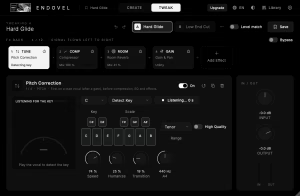
Once the chain is mapped, users can switch into the tweak window to inspect individual modules. The interface offers granular authority over wet/dry mix levels, frequency filtering, dynamic response, and modulation depth. This hybrid workflow lets you quickly rough in creative concepts and refine the nuances of your mix.
Technical Features and Formats
Endovel focuses on flexible signal routing and sound design speed:
- Natural language prompt system for rapid preset generation
- Dedicated tweak panel for editing individual module parameters
- Integrated processing covering delay, reverb, equalization, and saturation
- Low-latency signal processing suitable for live tracking or mixing
- Compatible with Windows and macOS hosts in 64-bit VST3, AU, and AAX formats
Endovel is completely free to download and use in personal or commercial music productions with no recurring subscription fees. Visit Saint Mike DSP to grab your installer and explore prompt-based multi-effects.
FAQ
Is Endovel really free?
Endovel is 100% freeware with no licensing cost for either commercial or personal music production.
What plugin formats does Endovel support?
The plugin runs in VST3, AU, and AAX formats on compatible 64-bit digital audio workstations for macOS and Windows.
Can I tweak the individual effects after the AI generates them?
Yes, the tweak window provides complete hands-on control over every effect module, mix level, and parameter setting.